

Nao
Server Manager & Developer
- Thread Author
- #2
Hey,
Here i will give you few "tips" to do in mta + windows to reduce lags.
1) MTA CONFIGURATION:
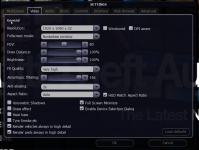
Fullscreen mode: set to Borderless Window
You can also change Anti-aliasing & FX Quality and disable Grass effect / Volumetric shadows....
2) WINDOWS CONFIGURATIONS:
Disable Xbox game bar from windows:
Go into "Settings" and then open "Games"
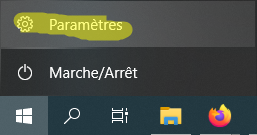
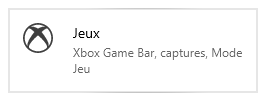
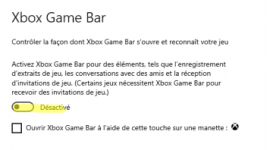
Turn off Xbox Game Bar:
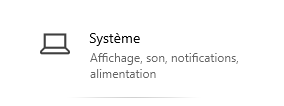
Then go back to "Settings" and go to "System":
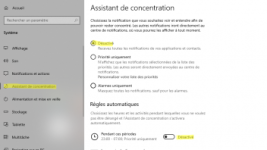
Go in "Focus Assistant" and disable everything:
3) CHANGE ALIMENTATION OPTIONS:
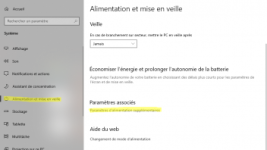
Still in "System"
Go inside this:
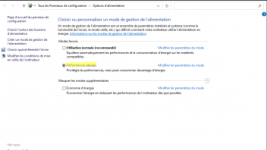
Select "High performances"
It's done let me know if this helped you

Here i will give you few "tips" to do in mta + windows to reduce lags.
1) MTA CONFIGURATION:
Fullscreen mode: set to Borderless Window
You can also change Anti-aliasing & FX Quality and disable Grass effect / Volumetric shadows....
2) WINDOWS CONFIGURATIONS:
Disable Xbox game bar from windows:
Go into "Settings" and then open "Games"
Turn off Xbox Game Bar:
Then go back to "Settings" and go to "System":
Go in "Focus Assistant" and disable everything:
3) CHANGE ALIMENTATION OPTIONS:
Still in "System"
Go inside this:
Select "High performances"
It's done let me know if this helped you
Last edited by a moderator:
